The screenshot below shows what happened when a strip of six images from the Yashica 270 AF, underexposed by 7 stops, was inserted into my Epson Perfection V370 Photo Scanner. Normally the Epson Scan software is very good at finding an image and providing a thumbnail for me to view. Sadly because the images were soooo underexposed it could only make out two of the six.

So this is where I had to adopt a more hands on approach, by manually selecting the images from the negatives.
Firstly I had to select the ‘Normal’ tab located at the top of the screen.
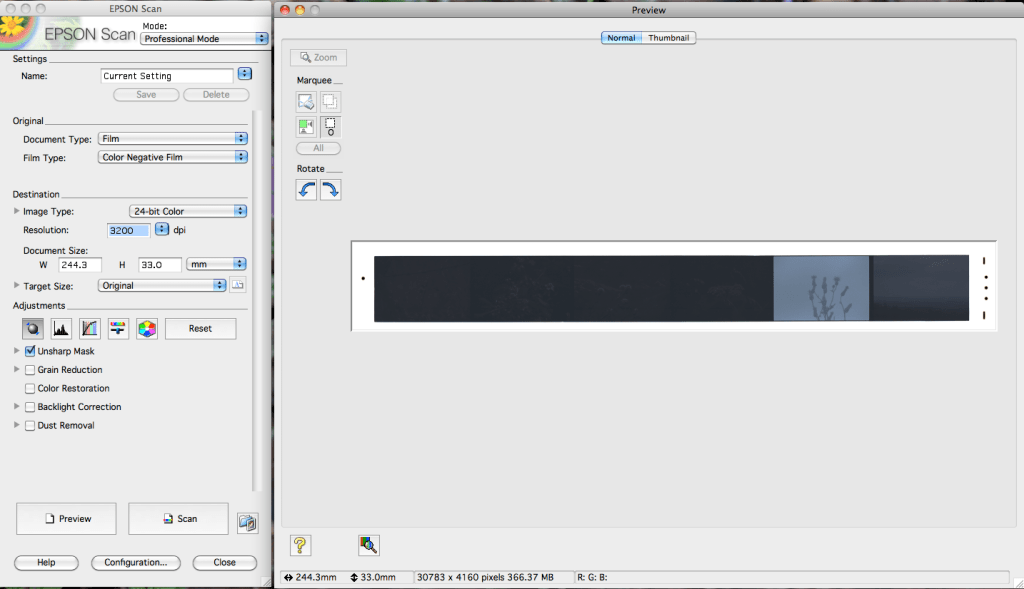
By default the marquee tool is activated. Since I could only see one image, I started on the right and drew out an area where I thought the image was located. Once you release the mouse you get a set of ‘marching ants’ bounding the image. This area was movable until I was happy with my selection.

I repeated the process untill all six images were revealed. 😀

Then clicking the All button and making sure that the number 6 appears in the box above All, it was simply a matter of hitting the scan button and waiting. You’ll notice the typical settings I use for scanning on the left of the screen shot above. I’m continually tweaking these to see what impact they have on my images.
Once scanned it’s time to see if I can rescue anything from these very dark images. I normally find using my ageing iMac G4 ‘Cube’ and copy of CS2 enough to satisfy my editing needs. This amounts to dust spot removal, and a little sharpening. However on this occasion I felt I needed a little more help and turned to Affinity Photo running on my new M1 Imac.☺️
On import this is what the image looked like. I performed my first sweep of removing dust from the image.
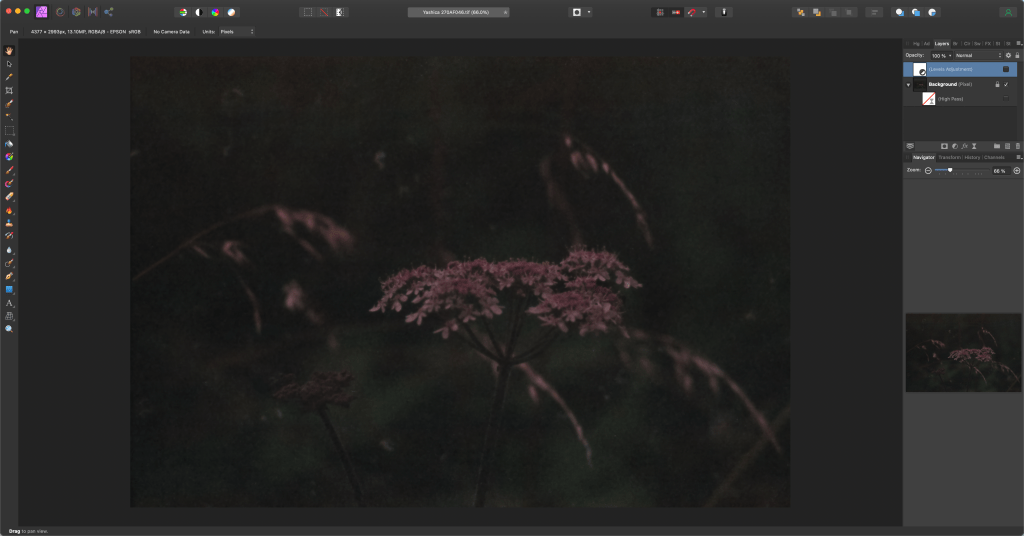
Afterwards a levels adjustment.

Looking at the histogram in the level adjustment box shows just how bad the under exposure was. This is a good example of why its better to expose for the shadows with film. Even so the level of detail in the flowers is surprisingly good, a credit to the exposure latitude of the film and of course the lens.
Finally after a little more spot removal some High Pass sharpening.
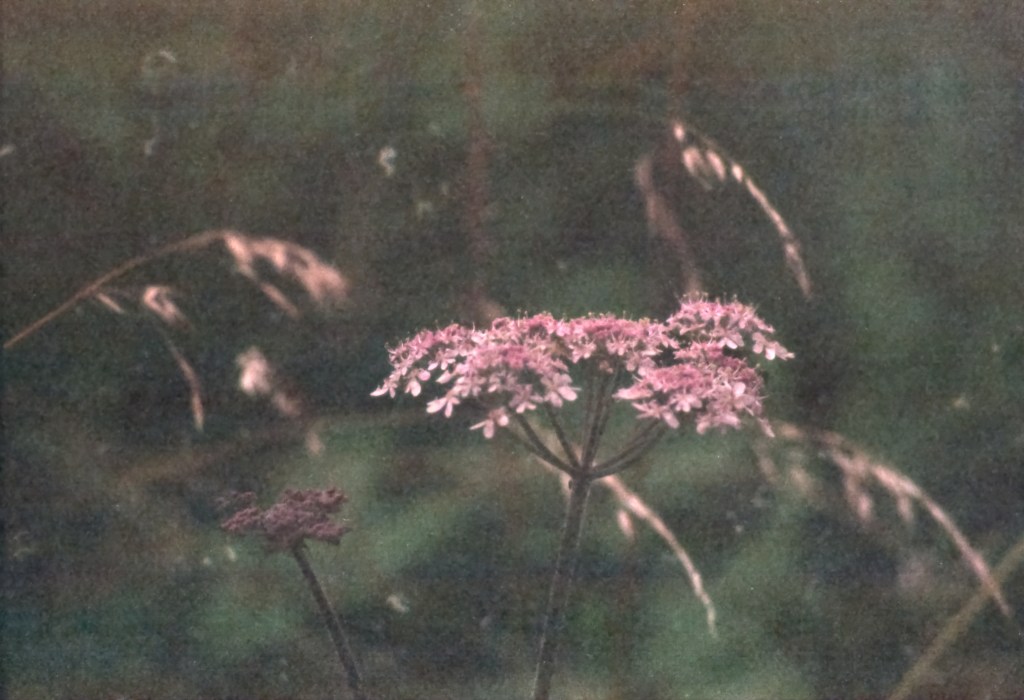
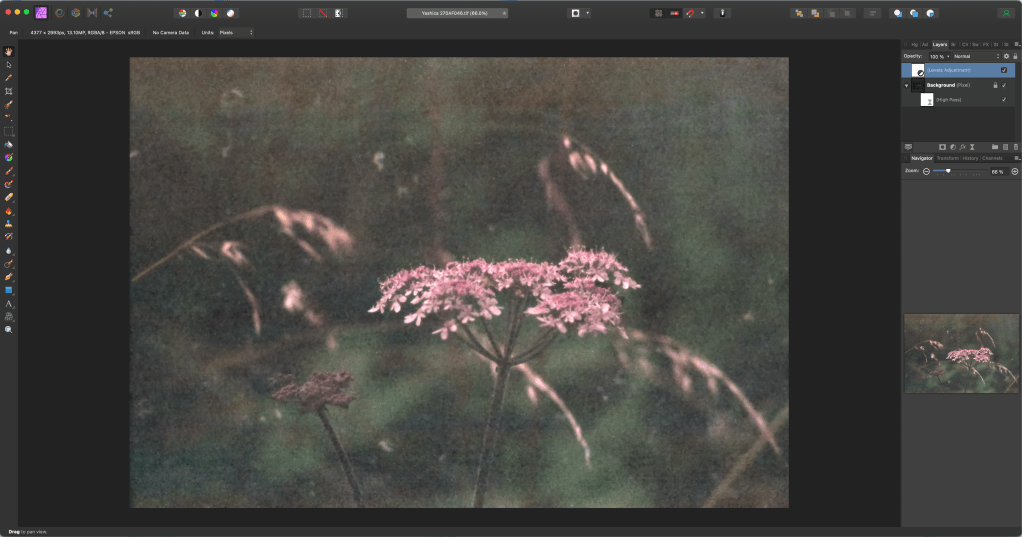
The banding along the top of the image is something that the scanner has produced and I don’t know why. I sometimes find re-scanning the negative removes it. More often I either clone it out or crop the image.
I’m sure there is more I can do in terms of editing. I’m open to suggestions.🤔
 arhphotographic